Batteries included: downloading and installing the template lab graph
The discourse graph team maintains an example Roam Research graph that comes pre-built with templates, queries, and SmartBlocks for common graph functions, as well as tutorials explaining these functions.
The graph is designed to support multiple users in a collaborative lab group setting but also accommodates single users. Features include:
- Daily Notes Page templates
- Project & Experiment page templates
- A small set of predefined nodes & relations
- Smartblocks to create discourse canvases linked to project and question pages
- A journal club page
- Examples of the major node types
- A set of tutorials explaining workflows and advanced functions
Installing the template lab graph
-
Create a Roam Research account, if you don’t have one already (Roam Research is a paid subscription software). Create an empty Roam Research graph.
-
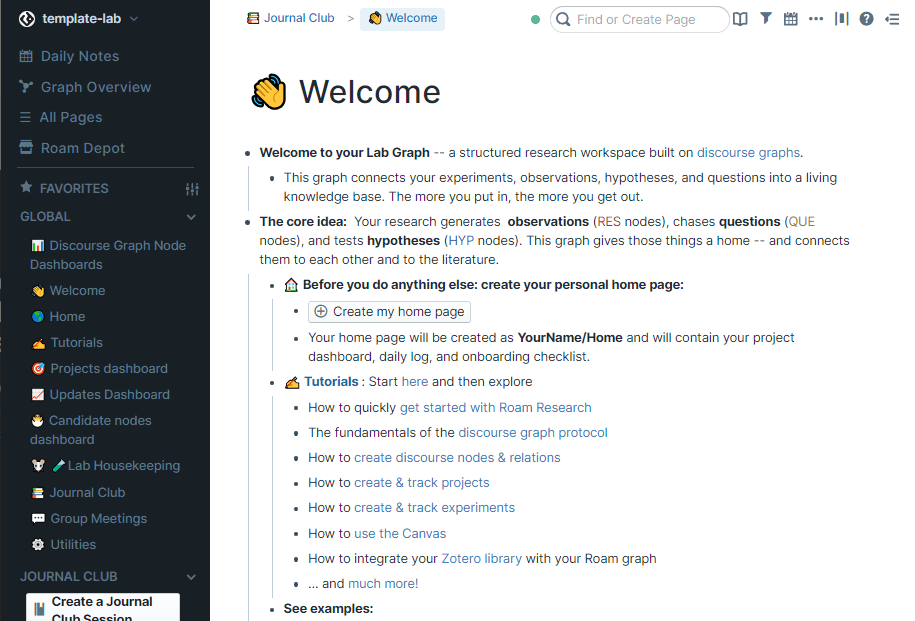
Navigate to the template lab page
- Open the (
...) menu, select “Export All” and then choose the msgpack export format.
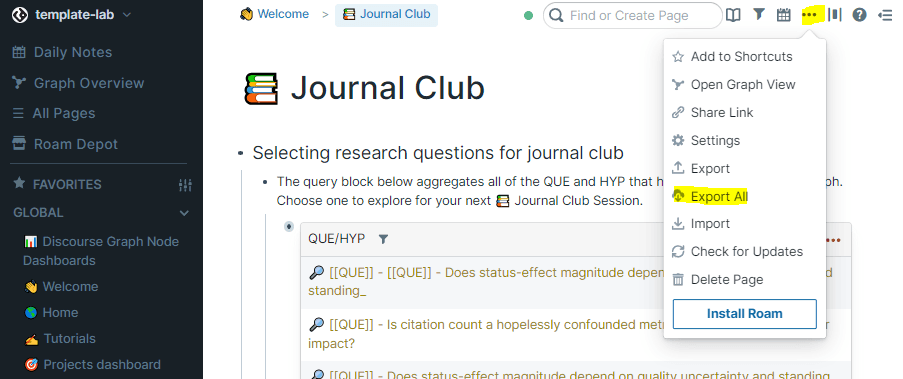 The
The ... menu
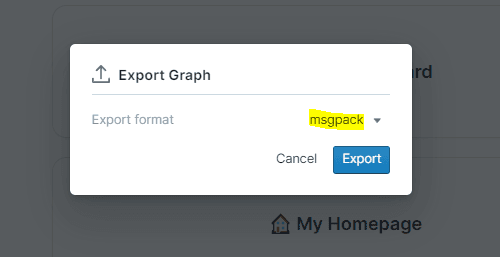 Select the msgpack format
- In your empty graph, navigate to Settings and select Data & Backups.
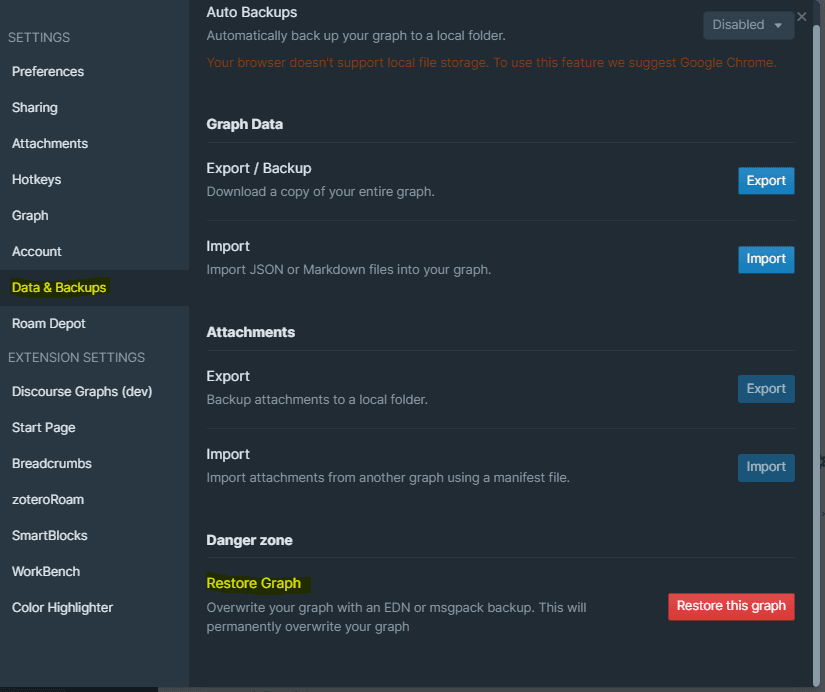 Restoring a graph from backup
- Select Restore this graph - you will be prompted to upload your msgpack backup and restore your graph.
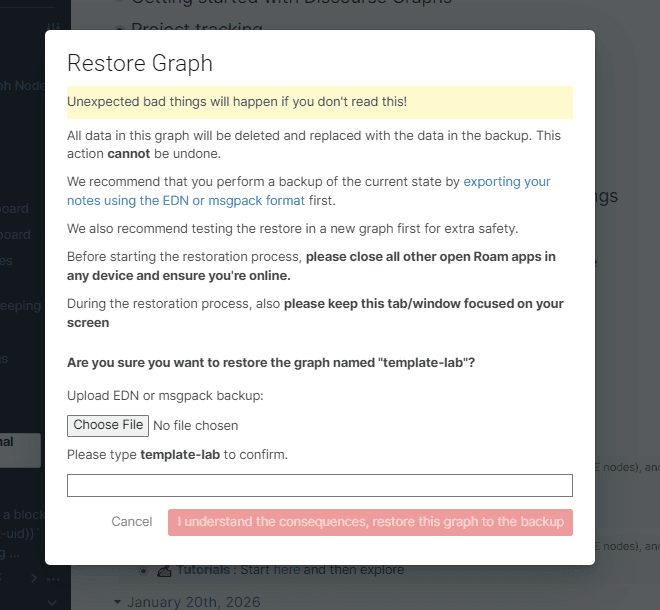 Be not afraid
Your graph may appear empty at first but if you open All Pages in the sidebar you should see the imported content. Now it’s time to install the plugin(s).
-
Open Roam Depot from the Settings Menu. Browse the Community Extensions
-
Install and enable the Discourse Graph and SmartBlock extensions (you might also find the Breadcrumbs and Color Highlighter extensions useful, but they are not required).
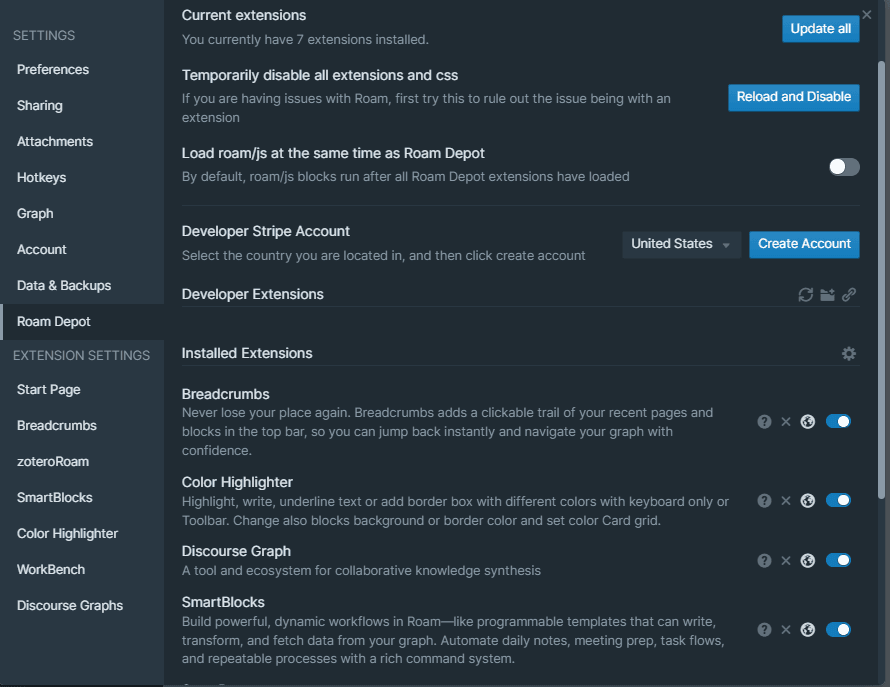 Extensions screen
- Reload your browser window. Your graph should “come alive” with discourse graph content and a left sidebar populated with default links.
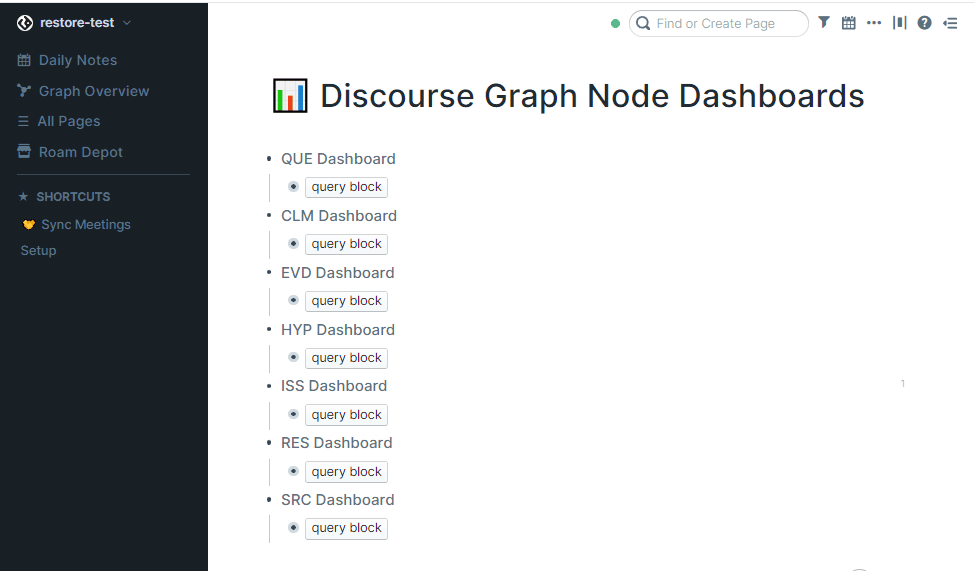 Boo … no discourse graph content!
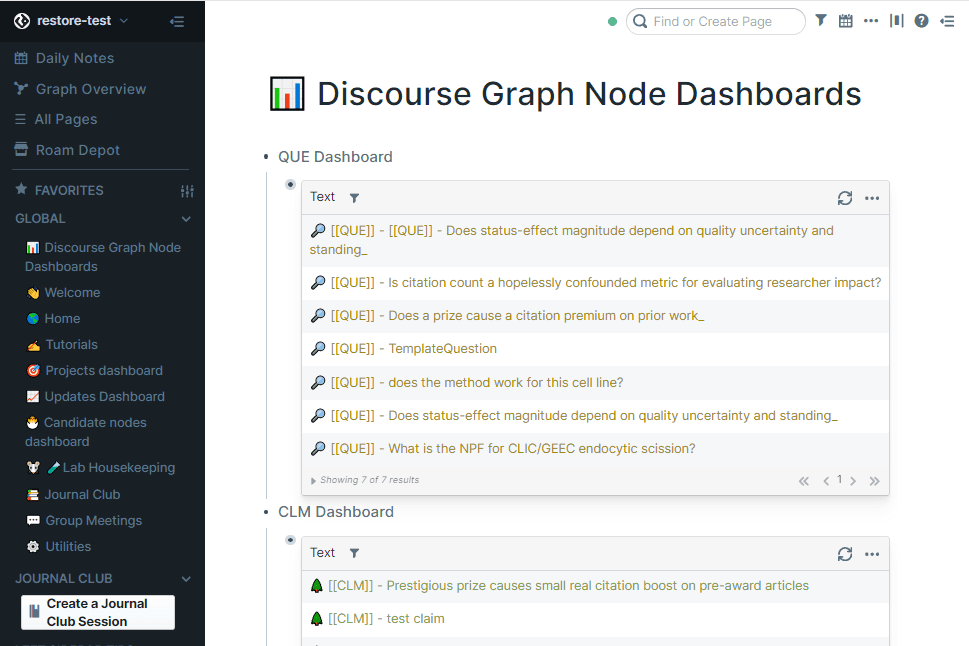 Yay!
Yay!
N.B. The template graph is updated regularly, but once you export the graph, your version is frozen — check our Slack channel for updates you can copy to your graph.